
Accessibility audits behind the login
Audit the pages a crawler cannot reach.
Login walls stop every crawler-based checker at the front door. Complaudax runs in your browser session, so account areas, checkout flows, admin screens, and staging sites get the same WCAG 2.1 and 2.2 AA audit as your homepage.
The difference
What a crawler sees. What Complaudax sees.
Most accessibility tools audit your site from outside. The moment a page needs a session, they stop. Complaudax audits inside your browser, where every page is already open.
What a crawler sees
What Complaudax sees
On a page only you can open
The panel does not care whether the page is public. If it renders in your browser, it gets the full audit.
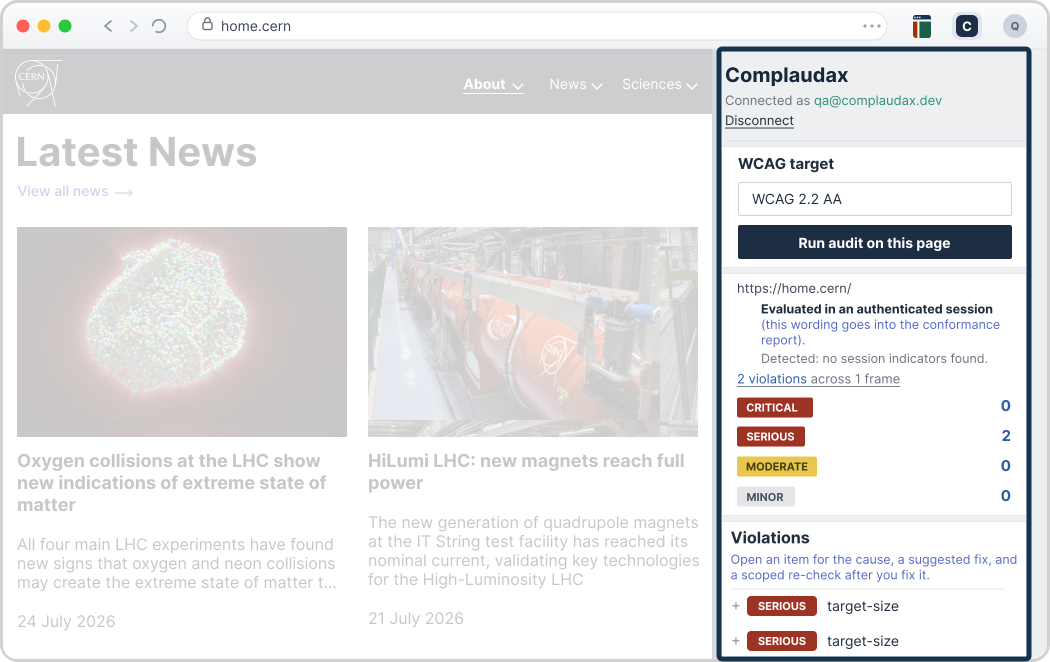
From a logged-in page to a client-ready report
- Install the extension and open it on any page, including pages behind a login.
- Review issues grouped by WCAG criterion, assign them to the right client and site.
- Export the conformance report when the work is done.
Because every page is in the audit
What you find back there stays found.
No more comparing two PDF exports to figure out what got fixed. Every issue keeps its identity across audits: found, fixed, or regressed, per client and per site.
Focus not visible on custom dropdown 2.4.7
FoundFocus not visible on custom dropdown 2.4.7
FixedFocus not visible on custom dropdown 2.4.7
Regressed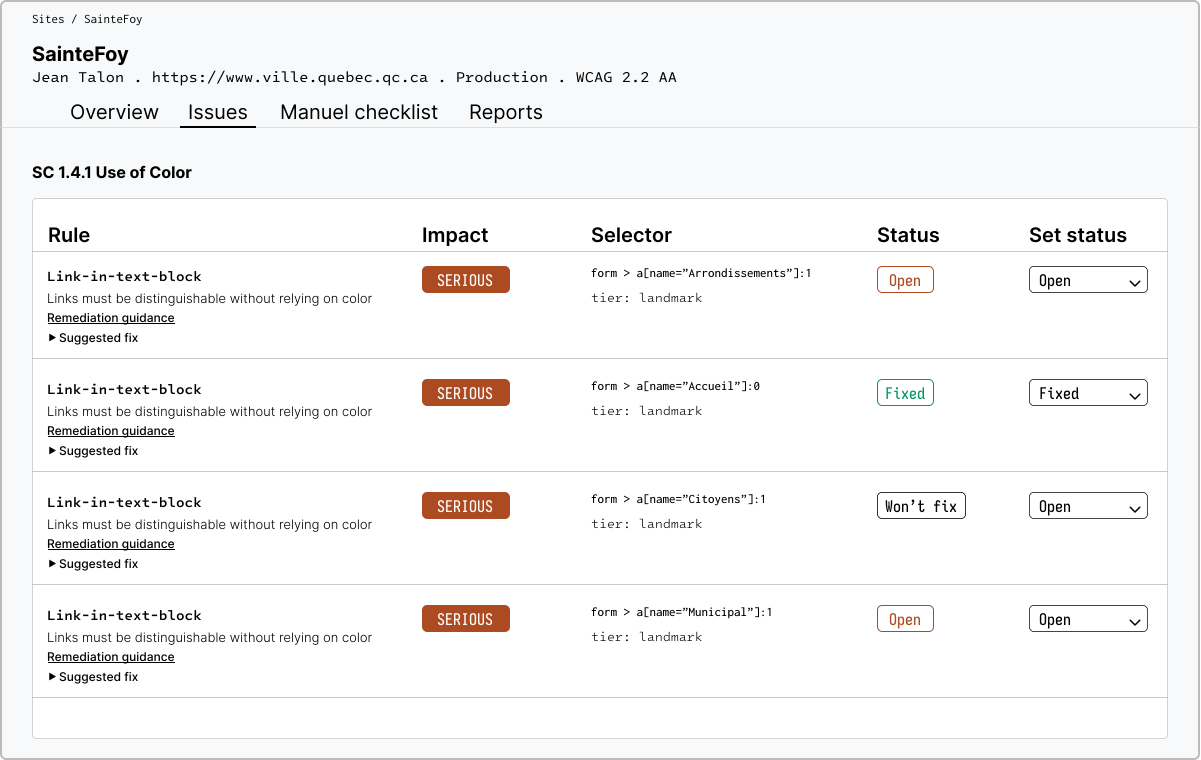
One client's issues across audits, states included.
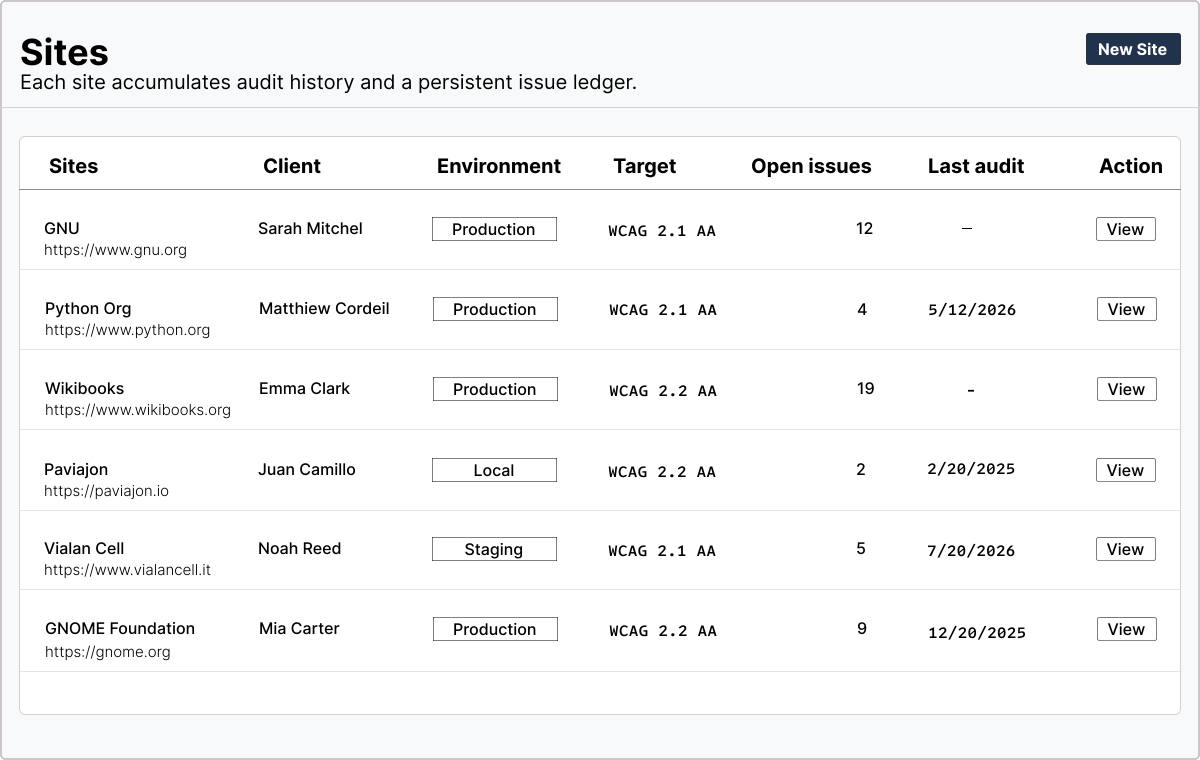
Every client's current posture, in one list.
Because the history is complete
Proof that covers the whole site, not just the public half.
The email that says "can you prove it?" now takes one click. The full audit history, authenticated pages included, becomes a conformance report your client can hand to whoever asked.
The criteria software cannot judge, turned into a worklist instead of a liability. They ship as a guided manual checklist beside the automated results, and their status is part of the report.
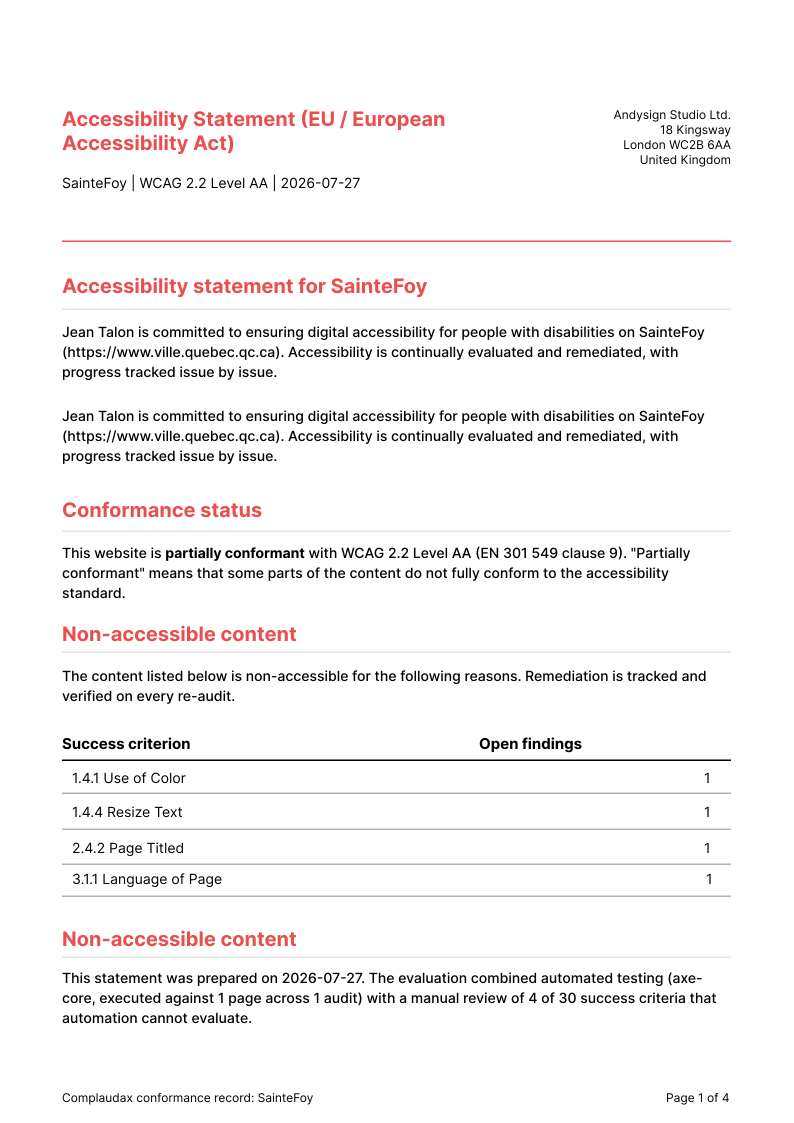
The first page of the PDF, as delivered.
What we are honest about
Automated testing covers part of WCAG. We tell you which part.
Roughly half of WCAG success criteria can be checked by software. Complaudax surfaces exactly which criteria still need a human review, and ships a manual checklist to work through them. It is not an overlay, it does not inject anything into your client's site, and it does not claim to make a site compliant on its own. Finding issues, tracking fixes, and documenting the result: that is the job.
Automated coverage, measured
Roughly half of WCAG success criteria can be checked by software. Complaudax runs every one of those checks.
Manual checklist
Criteria that need human judgment ship as a guided checklist.
Not an overlay
Nothing is injected into your client's site, ever.
Made for the people who work behind other people's logins
Web agencies
Keep every client's accessibility posture in one place, with progress you can show.
For agencies
Freelancers
Offer audits and remediation as a service without enterprise tooling overhead.
For freelancers
In-house teams
Audit staging before release and catch regressions before your users do.
For in-house teams
Where the other tools stop
If you already use a browser checker, an enterprise platform, or you have been pitched an overlay, here is the same question asked of each.
| Question | Free browser checkers | Enterprise platforms | Overlay widgets | Complaudax |
|---|---|---|---|---|
| Audits pages behind a login or on staging | Per page, in a tab you open yourself | Sometimes, via scripted logins | Not applicable | Yes, in your own browser session |
| Tracks issues per client over time | No, no history | Yes | No | Yes, found, fixed, or regressed |
| Produces a conformance report and statement | No | Yes | No | Yes, on every plan |
| Honest about automated coverage limits | Yes | Usually | No | Yes, stated on every report |
| Price for a small agency | $0, plus the hours | From ~$500/mo | From ~$50/mo per site | $39 to $99/mo, flat |
The EAA applies
The European Accessibility Act has been in force for in-scope products and services since this date.
The baseline
The technical standard behind the EAA, which requires WCAG 2.1 Level AA for web content.
The regulatory context
The deadline already passed. Enforcement is starting.
The European Accessibility Act has applied to in-scope products and services since 28 June 2025. The technical baseline it points to is EN 301 549, which in turn requires WCAG 2.1 Level AA for web content.
Enforcement runs at member state level, through market surveillance authorities, with penalties that vary by country. No panic needed, but the years of "it is coming eventually" are over.
Start with a page your current checker cannot open.
The free plan covers one client and three sites. No card required.